Last reviewed: July 14, 2026. Sharing behaviour can change with app updates, plans and device models.
Sharing a satellite communicator sounds simple, but it can get messy if several people want to use one device, one app account or one contact list. Before lending or sharing a ZOLEO or Garmin inReach Messenger, decide whose account, contacts, messages and emergency information are attached to the device.
When Sharing Works
- One person manages the account and device setup.
- The trip group understands who receives check-ins.
- Emergency contacts match the person carrying the device.
- Everyone knows whether messages are coming from a Garmin or ZOLEO identity.
- The device is tested after switching users or phones.
Where It Gets Risky
The risk is not the device; it is confusion. If the account owner, device carrier and emergency contact plan do not match, responders and family may get incomplete context. This matters on group hikes, ATV rides, paddling trips and borrowed-device situations.
Practical Recommendation
For occasional shared use, make a simple written trip plan and contact sheet before leaving. For regular shared use across a club, business or group, review business/team options or dedicated devices instead of improvising around one personal subscription.
Current Details To Verify Before Buying
Subscription plans, SOS handling, app behaviour and device availability can change. Before buying or activating a device, check Garmin’s current inReach consumer plans, Garmin’s current satellite communicator page and ZOLEO’s Canadian monthly plans.
Related AvoidingChores Satellite Communicator Guides
- Garmin inReach vs ZOLEO for Canadian outdoor users
- Garmin inReach vs ZOLEO subscription cost of ownership
- ZOLEO SOS updates and emergency workflow notes
- inReach MapShare vs ZOLEO Location Share+
- Garmin inReach vs ZOLEO messaging types
- Garmin inReach Messenger how-to tutorials
- Sync tracks on Garmin Explore for inReach users
Original Videos And Images
Existing reader-facing media from the previous version of this post has been preserved below.
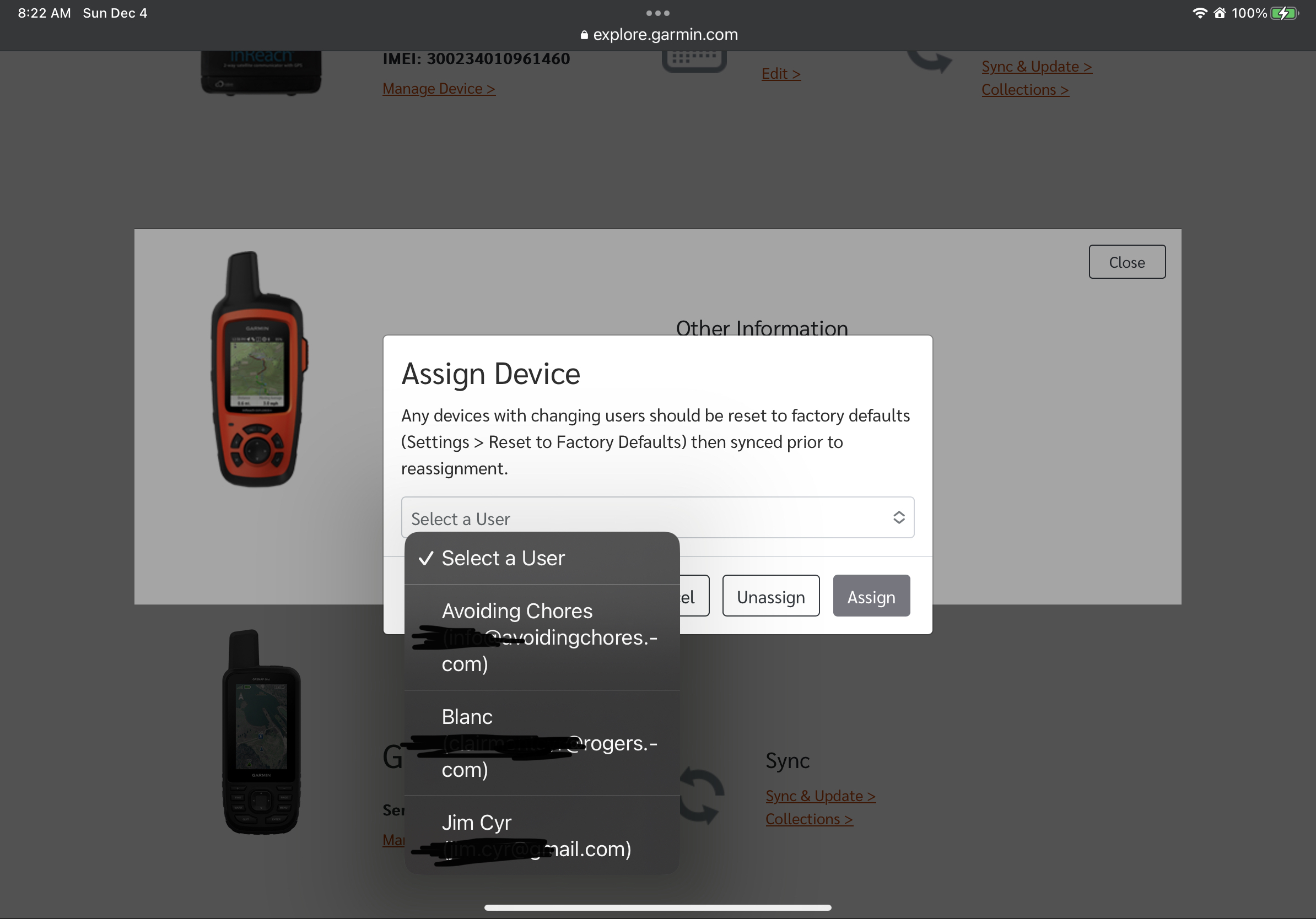
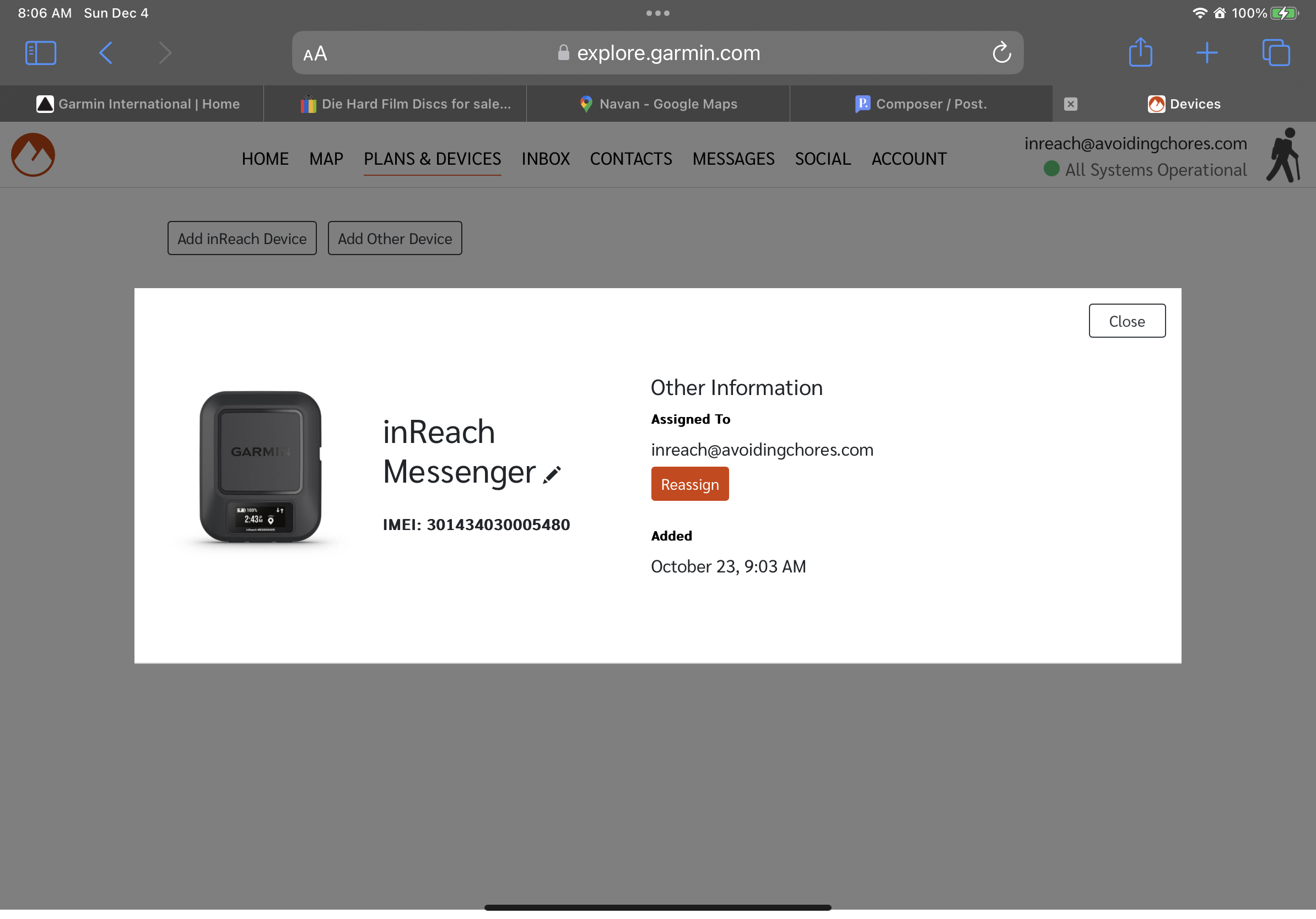
Sharing Your Garmin inReach Messenger
This applies to all inReach devices, but since the inReach Messenger is so similar to the ZOLEO, might as well go through the steps- and there a lot of them.
Step 1 – Reset your device
First thing is to reset the device as we’ll need to assign a new inReach user to the device, then pair the device to the new user’s smartphone. Since they’ll need to create a Garmin Explore account to use the Garmin Messenger app (or probably already have one if they use a Garmin outdoor device), you probably won’t be sharing those credentials to your friend.
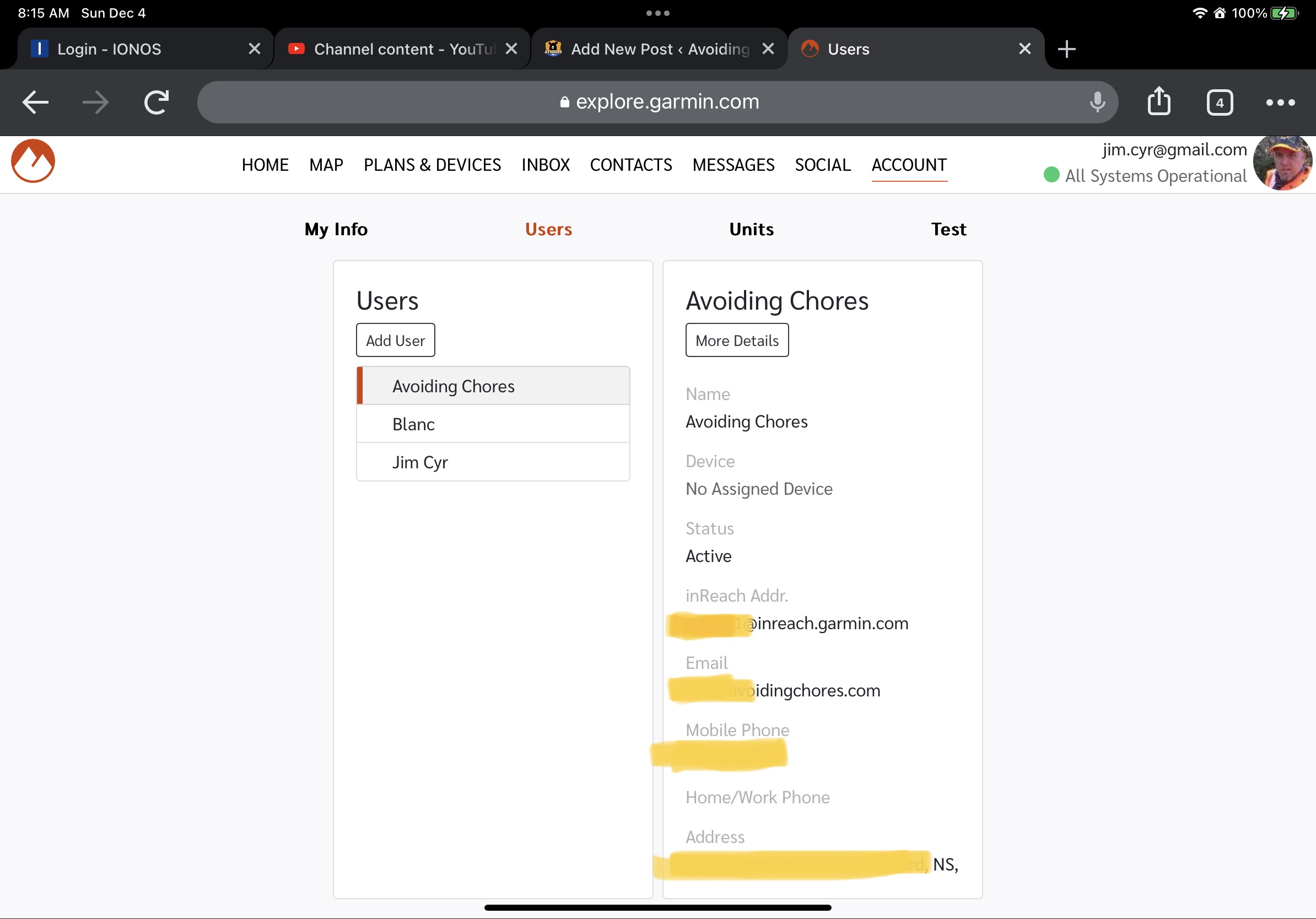
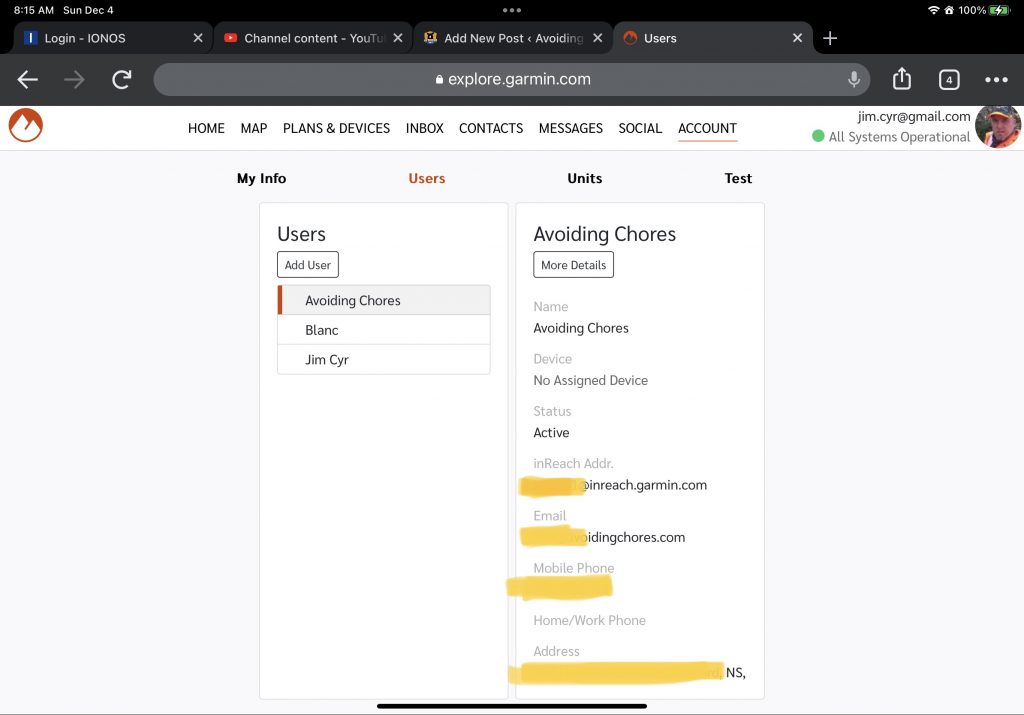
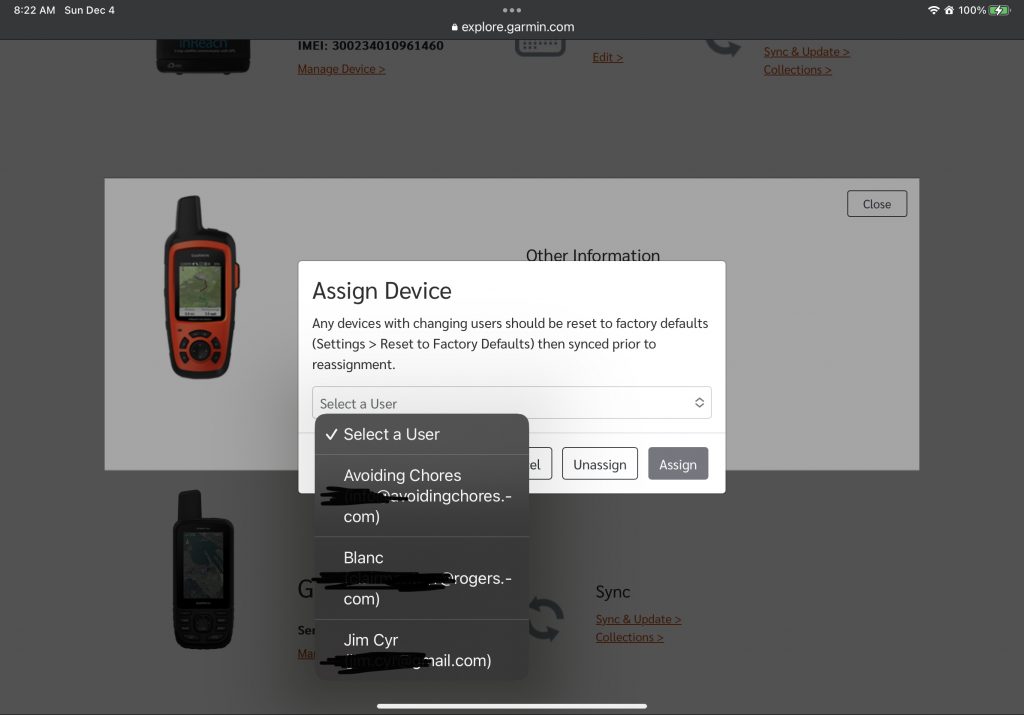
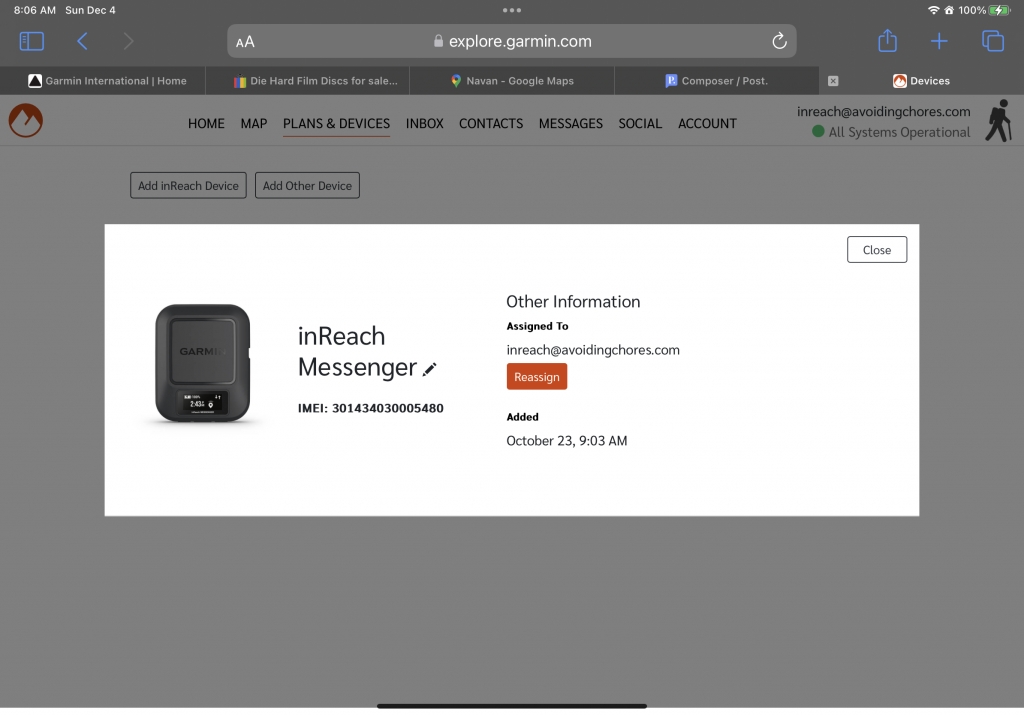
Step 2 – Add New User From Garmin Explore
Due to recent privacy laws (after July 2022), Garmin inReach users under a personal Freedom or Contract plan can no longer add users to their Garmin Explore account. If you have added users in the past, they will remain but unable to add any further. (Link)
Since I have two Garmin explore accounts I can still show you the screen if you happen to be on the Pro inReach plans.
Additional Original Photos